Top 10 IT Ticketing Systems to Streamline Operations
Is your support team overwhelmed by emails, slow response times, missed requests, or manual processes? If so, the right ticketing systems can completely transform how your business handles support.
Modern organizations need more than a shared inbox. They need smart workflows, automation, reporting, accountability, and faster resolutions. That is why businesses are investing in the best ticketing system software, advanced ticket management systems, and AI-powered ticketing tools.
In this complete guide, you will learn:
What ticketing systems are
Why they matter in 2026
The top 10 platforms to consider
How to choose the best solution
Must-have features to look for
Future trends in ticketing software
If you are searching for the best ticketing systems, a complete ticketing system list, or a trusted ticketing system software list, this guide is built for you.
What Are Ticketing Systems?
Ticketing systems are platforms that turn incoming requests into organized tickets that can be tracked, assigned, prioritized, managed, and resolved.
Instead of losing requests in email threads or chat messages, teams can manage everything in one place.
A support ticket often includes:
User name
Issue description
Priority level
Status
Assigned owner
Internal notes
Resolution steps
Time to close
Example:
An employee submits: “My laptop cannot connect to VPN. ”The system automatically creates a ticket, assigns it to IT, sets urgency, tracks progress, and records the resolution. That is why ticketing software is essential for growing businesses.
Why Ticketing Systems Matter in 2026
Support expectations continue to rise. Employees and customers expect fast answers, transparency, and consistent service.
Without proper systems, teams face:
Lost requests
Slow response times
Duplicate work
Poor accountability
Lack of reporting
Burnout
Frustrated users
With the right ticketing software, companies can:
Improve response times
Increase efficiency
Reduce manual work
Track team performance
Improve customer satisfaction
Scale support operations
Standardize service quality
Top 10 IT Ticketing Systems
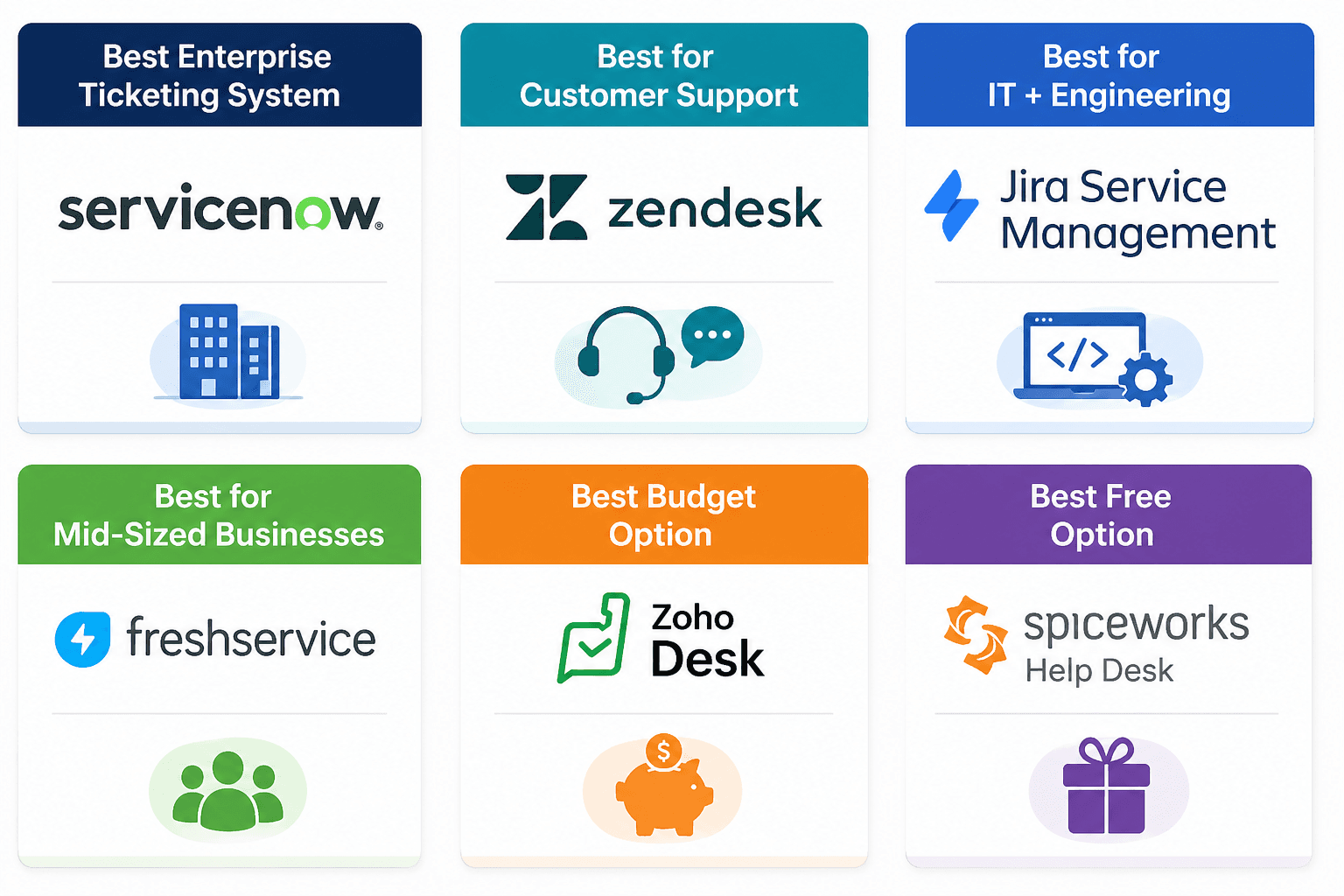
1. ServiceNow
One of the most powerful enterprise service platforms in the market. Built for complex organizations that need deep workflow automation, governance, IT operations, and scalability.
Best For:
Large enterprises
Key Features:
IT service management
Asset management
Workflow automation
Self-service portals
AI capabilities
Enterprise reporting
Example: A global company routes hardware requests, software approvals, and incidents through one platform.
2. Zendesk
A market leader in customer support software. Known for clean design, omnichannel support, automation, and strong analytics.
Best For:
Customer service teams
Key Features:
Email, chat, voice, social support
Automation workflows
Help center
SLA tracking
Reporting dashboards
Example: A SaaS company manages customer tickets from chat, email, and phone in one queue.
3. Jira Service Management
Excellent for IT and engineering teams, especially those already using Jira Software or Confluence.
Best For:
Technical teams
Key Features:
Incident management
Change management
Service requests
DevOps workflows
Asset tracking
Example: An engineering team links software bugs directly to support incidents.
4. Freshservice
A modern, user-friendly platform that balances power and simplicity.
Best For:
Mid-sized businesses
Key Features:
IT ticketing
Workflow automation
Knowledge base
Asset management
AI agent support
Example: A 300-person company modernizes internal IT support without enterprise complexity.
5. Help Scout
Built for teams that value a human support experience with lightweight workflows.
Best For:
Small to mid-sized support teams
Key Features:
Shared inbox
Help center
Customer profiles
Internal notes
Simple automation
Example: An ecommerce brand manages customer support with a clean, easy system.
6. ManageEngine ServiceDesk Plus
A practical and affordable IT service desk solution with broad capabilities.
Best For:
Internal IT departments
Key Features:
Ticketing
Asset management
Change requests
Incident workflows
Reporting
Example: A regional company manages onboarding, laptop inventory, and help desk requests.
7. HubSpot Service Hub
Strong choice for companies already using HubSpot CRM and marketing tools.
Best For:
Revenue teams
Key Features:
Ticket pipelines
Customer history
Knowledge base
Automation
Reporting
Example: Sales and support teams share one customer view.
8. Zoho Desk
A feature-rich platform with strong value pricing.
Best For:
Budget-conscious teams
Key Features:
Multi-channel support
AI assistant
Workflow automation
Reporting
Knowledge base
Example: A growing startup upgrades from Gmail to structured support operations.
9. SolarWinds Service Desk
Designed for IT teams needing service management and asset visibility.
Best For:
IT operations teams
Key Features:
Incident management
Service catalog
Asset tracking
Reporting
Cloud deployment
Example: An internal IT team tracks employee devices and service requests together.
10. Spiceworks Help Desk
A well-known entry option for smaller businesses seeking low-cost ticketing.
Best For:
Small businesses
Key Features:
Free ticketing
Basic workflows
Email integration
Reporting
Community resources
Example: A small office creates its first formal help desk process.
Best Ticketing Systems by Use Case
Must-Have Features in Ticketing Software
When reviewing any ticketing system software list, prioritize these features:
Ticket creation and routing
Priority levels
SLA management
Automation rules
Knowledge base
Self-service portal
AI assistance
Reporting dashboards
Mobile access
Integrations
Security controls
Audit logs
How to Choose the Right Ticketing System (Questions to Ask)
1. Who Will Use the Ticketing System?
Will this ticketing system be used only by IT, or also HR, facilities, finance, and operations?
Is this ticketing system built for internal service requests, customer support, or both?
Can one ticketing system support multiple departments without becoming messy?
2. How Complex Does the Ticketing System Need to Be?
Do you need a simple ticketing system for requests and assignments, or a full enterprise workflow platform?
Can the ticketing system handle approvals, escalations, SLAs, onboarding, and procurement workflows?
Will the ticketing system still fit your needs in two years?
3. Does the Ticketing System Have Useful AI?
Does the ticketing system use AI to actually reduce workload, or just offer basic suggestions?
Can the ticketing system automate routing, classify requests, and draft responses?
Can the ticketing system power self-service chatbots or knowledge search?
4. What Must the Ticketing System Integrate With?
Does the ticketing system connect with email, Slack, Teams, CRM, HRIS, phone systems, and identity tools?
Can the ticketing system integrate with Salesforce, HubSpot, Okta, or Workday?
Are integrations included, or extra cost?
5. What Is the Real Cost of the Ticketing System?
What is the monthly or annual cost of the ticketing system today?
How much will the ticketing system cost when your users double?
Does the ticketing system charge extra for AI, reporting, automation, APIs, or premium support?
6. Is the Ticketing System Easy to Use?
Can employees use the ticketing system without training?
Can admins configure the ticketing system without developers?
Is the ticketing system interface modern and intuitive?
7. How Fast Can the Ticketing System Be Launched?
Can this ticketing system go live in weeks, or will it take months?
Does the ticketing system require consultants or a dedicated implementation team?
How much internal time will setup require?
8. Does the Ticketing System Have Strong Reporting?
Can the ticketing system track ticket volume, response times, backlog, and SLA performance?
Does the ticketing system provide dashboards for managers and executives?
Can reports be customized easily?
9. Will the Ticketing System Scale?
Can the ticketing system support more users, departments, and locations over time?
Can the ticketing system manage thousands of tickets monthly?
Can you add new workflows later without replacing the system?
10. Is the Ticketing System Secure?
Does the ticketing system support SSO, MFA, permissions, and audit logs?
Does the ticketing system meet compliance requirements for your industry?
How does the vendor handle data security and retention?
11. What Support Comes With the Ticketing System?
Does the vendor help you implement the ticketing system successfully?
How responsive is support when issues arise?
Is training included for admins and end users?
12. Is This the Right Ticketing System for Your Business?
Is the ticketing system solving today’s pain, or helping you build for the future?
Will this ticketing system save time, improve service, and reduce manual work?
If you had to choose again in one year, would you buy the same ticketing system?
Final Thoughts
The best ticketing systems help teams move faster, stay organized, and deliver better service.
Whether you need an enterprise ticketing system, lightweight ticketing software, or a complete ticketing system list, the right platform depends on your goals, workflows, and growth plans.
Do not choose based only on brand names. Choose the system that helps your team operate better every day. Support done right becomes a competitive advantage.
Bring AI Into Your Ticketing Workflow
Your ticketing system should do more than track requests. It should help solve them.
AskBobAI connects directly to platforms like ServiceNow, Zendesk, Jira Service Management, Freshservice, and more—so your team gets instant answers, automated responses, knowledge search, and AI-powered workflows without changing systems.
Ready to See It in Action?
Stop making your team search for answers manually. Let AI work inside the tools you already use.
Contact us today to see how AskBobAI can turn your ticketing system into a faster, smarter support operation.